
Marketing automation for Shopify enhances store efficiency by automating repetitive tasks and personalizing customer experiences. It helps boost sales and customer engagement.
Marketing automation on Shopify allows store owners to streamline their processes. By automating tasks like email campaigns, cart recovery, and customer segmentation, businesses can focus on strategic growth. It enables personalized marketing, ensuring customers receive tailored messages based on their behavior and preferences.
This not only improves customer satisfaction but also drives higher conversion rates. Implementing marketing automation tools on Shopify can lead to significant time savings and increased revenue. It empowers businesses to scale efficiently while maintaining a personal touch with their customers. Effective use of these tools can transform a Shopify store’s performance and profitability.
Introduction To Marketing Automation
Marketing automation helps online stores run better. It saves time and improves sales. Shopify stores benefit greatly from this technology. Let’s explore why.
What Is Marketing Automation?
Marketing automation uses software to handle repetitive marketing tasks. It can send emails, post on social media, and more. This helps businesses connect with customers without extra work.
Automation tools can track customer behavior. They use this data to personalize messages. This makes marketing efforts more effective and efficient.
Importance For Shopify Stores
Shopify stores need marketing automation to grow. It helps store owners focus on other tasks. Here are some key benefits:
- Time-saving: Automation completes tasks quickly.
- Increased Sales: Targeted campaigns boost sales.
- Customer Retention: Personalized messages keep customers engaged.
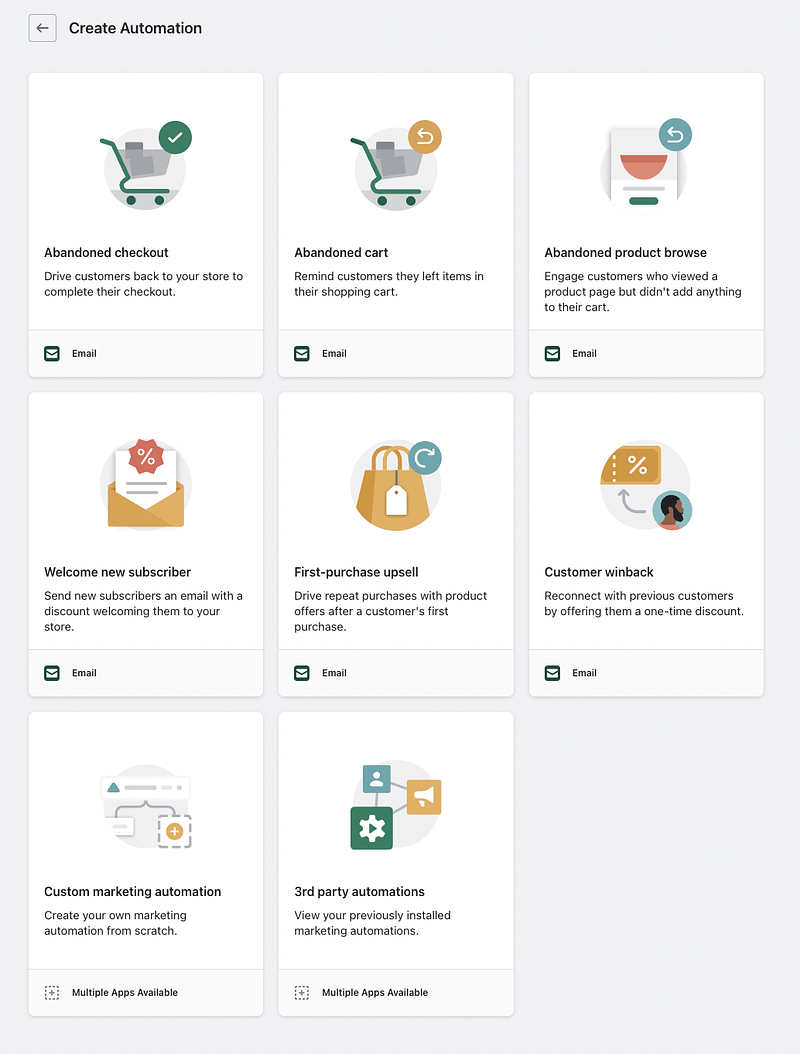
Shopify offers many automation tools. These tools help with email marketing, social media posts, and more. Here is a table showing some popular tools:
Tool Function Klaviyo Email and SMS marketing Hootsuite Social media scheduling Omnisend Multi-channel marketing
Using these tools, Shopify stores can reach more customers. They can also save time and improve their marketing efforts. Automation is a game-changer for online businesses.
Credit: www.emailtooltester.com
Benefits Of Marketing Automation
Benefits of Marketing Automation on Shopify
Marketing automation on Shopify brings many advantages. It helps online stores thrive. Automation tools simplify tasks and boost productivity. Let’s explore the key benefits.
Increased Efficiency
Automation saves time by handling repetitive tasks. You can automate email campaigns, social media posts, and customer follow-ups. This frees up time for strategic planning.
With automation, tasks are completed faster and with fewer errors. This boosts your store’s efficiency. You can focus on growing your business.
Task Manual Time Automated Time Email Campaigns 2 hours 10 minutes Social Media Posts 1 hour 5 minutes Customer Follow-ups 3 hours 15 minutes
Enhanced Customer Engagement
Automation tools personalize customer interactions. Personalized emails and offers make customers feel valued. This boosts customer loyalty and satisfaction.
Automated workflows can segment customers based on their behavior. You can send targeted messages to each group. This improves engagement rates significantly.
- Personalized Emails: Tailored content for each customer.
- Targeted Offers: Special deals based on purchase history.
- Behavioral Segmentation: Group customers by actions.
/media/00eae03c9a2563528cd96f509cba063f
Key Features To Look For
Marketing automation can streamline your Shopify store’s processes. It helps you focus on growing your business. Here are key features to look for in marketing automation tools.
Email Campaigns
Email campaigns are essential for engaging customers. Look for tools that allow you to create and send emails easily. Automated email campaigns can save you time and effort. They help keep your customers informed and engaged.
- Drag-and-drop email builder
- Pre-designed email templates
- A/B testing for email content
- Personalized email content
- Automated follow-up emails
Customer Segmentation
Customer segmentation is crucial for targeted marketing. It helps you divide your customer base into smaller groups. These groups can be based on behavior, location, or purchase history. This allows for more personalized marketing efforts.
Segmentation Criteria Benefits Behavior Identify loyal customers and target them with special offers. Location Send region-specific promotions to boost local sales. Purchase History Recommend products based on past purchases.
Using these features can enhance your marketing efforts. They help you reach the right audience with the right message. Make sure the marketing automation tool you choose has these key features.
Popular Marketing Automation Tools
Popular Marketing Automation Tools for Shopify
Marketing automation tools help Shopify businesses grow faster. These tools save time and improve marketing efforts. Here are some popular tools to consider.
Klaviyo
Klaviyo is a powerful marketing automation tool. It integrates seamlessly with Shopify. This tool helps businesses send personalized emails. It also provides detailed analytics and insights.
Key Features of Klaviyo:
- Advanced segmentation
- Pre-built templates
- Data-driven insights
- Dynamic forms and pop-ups
- Integration with Facebook and Instagram
Klaviyo’s advanced segmentation helps target the right customers. This increases the chances of sales. The pre-built templates save time and effort.
Omnisend
Omnisend is another excellent marketing automation tool. It’s designed for eCommerce businesses. Omnisend offers email, SMS, and push notifications. This tool helps reach customers on multiple channels.
Key Features of Omnisend:
- Email and SMS campaigns
- Push notifications
- Drag-and-drop editor
- Automation workflows
- Integration with Shopify and other platforms
Omnisend’s drag-and-drop editor is user-friendly. It makes creating campaigns easy. Automation workflows help save time. This tool ensures consistent communication with customers.
Setting Up Automation In Shopify
Setting up automation in Shopify can transform your business. Automations save time and improve efficiency. They help in managing tasks without constant manual intervention. Let’s dive into the steps to set up automation in Shopify.
Integration With Shopify
First, you need to integrate the automation tool with Shopify. Go to the Shopify App Store. Search for an automation tool like Shopify Flow. Click on the app and install it. Make sure you give the necessary permissions for it to work.
Once installed, you will see the app in your Shopify dashboard. This integration allows the tool to access your store’s data. This is necessary for creating effective workflows.
Configuring Workflows
After integration, it’s time to configure workflows. Workflows are sets of rules that automate tasks. You can create workflows for various activities.
For example, set a workflow to send a thank-you email after a purchase. Or, create a workflow to restock inventory when it runs low.
Here’s a simple example:
1. Go to Shopify Flow.
2. Click on 'Create Workflow'.
3. Choose a trigger. (e.g., Order Created)
4. Add conditions. (e.g., Order Amount > $50)
5. Set actions. (e.g., Send Email, Update Stock)
6. Save and activate the workflow.
Workflows can be complex. You can add multiple conditions and actions. Always test your workflows before going live.
Here’s a quick table to understand the process:
Step Action Description 1 Install App Find and install an automation app from the Shopify App Store. 2 Configure Permissions Allow the app to access necessary data. 3 Create Workflow Set triggers, conditions, and actions for the workflow. 4 Test Workflow Ensure the workflow functions as expected.
Using these steps, you can set up automation easily. This will help you manage your store more efficiently.
Best Practices For Automation
Best Practices for Marketing Automation on Shopify
Implementing marketing automation on Shopify can elevate your business. By automating tasks, you save time and boost efficiency. Follow these best practices to maximize your automation efforts.
Personalization Strategies
Personalization is key in marketing automation. Tailor your messages to individual customer preferences. Use customer data to create targeted campaigns.
- Segment your audience: Group customers by behavior, interests, and purchase history.
- Dynamic content: Adjust email content based on customer actions.
- Product recommendations: Suggest items based on previous purchases.
Timing And Frequency
Timing and frequency of messages are crucial. Send emails at the right moments to engage customers.
Automation Type Best Time to Send Frequency Welcome Emails Immediately after signup Once Abandoned Cart Reminders 1 hour after cart abandonment 1–2 times Follow-Up Emails 1 week after purchase Once
Keep messages relevant. Avoid overwhelming customers with too many emails. Balance communication to maintain customer interest.
Measuring Success
Marketing automation on Shopify can boost your store’s success. But how do you know if your efforts are paying off? Measuring success is crucial. It helps you understand what works and what doesn’t. Let’s dive into the key metrics and how to analyze them.
Key Metrics To Track
Tracking the right metrics gives you insights into your marketing efforts. Here are some key metrics to consider:
- Conversion Rate: The percentage of visitors who complete a desired action.
- Customer Acquisition Cost (CAC): The total cost to acquire a new customer.
- Average Order Value (AOV): The average amount spent by customers per order.
- Customer Lifetime Value (CLTV): The total revenue expected from a customer over time.
- Email Open Rate: The percentage of recipients who open your emails.
- Click-Through Rate (CTR): The percentage of people who click on a link in your emails.
- Cart Abandonment Rate: The percentage of shoppers who add items to their cart but do not complete the purchase.
Analyzing Campaign Performance
Analyzing your campaigns helps you refine your strategies. Here’s how to do it:
- Set Clear Goals: Define what success looks like for each campaign.
- Use Analytics Tools: Tools like Google Analytics can provide valuable data.
- Compare Metrics: Look at key metrics before and after campaigns.
- Identify Trends: Spot patterns in customer behavior and adjust accordingly.
- Test and Optimize: Run A/B tests to see what works best.
By focusing on these steps, you can ensure your marketing efforts are effective. Your Shopify store will thrive with data-driven decisions.
Case Studies
Marketing automation on Shopify has transformed many businesses. Real-world examples show the potential of these tools. Let’s explore some case studies that highlight their success and the lessons learned.
Successful Implementations
Many brands have seen amazing results with marketing automation. Here are a few examples:
Brand Challenge Solution Result Brand A Low email open rates Automated email campaigns 50% increase in open rates Brand B High cart abandonment Abandoned cart reminders 30% recovery rate Brand C Customer retention Loyalty programs 20% increase in repeat purchases
Lessons Learned
From these success stories, we can learn valuable lessons:
- Personalization: Tailor messages to individual customers for better engagement.
- Timing: Send emails at the right time to maximize open rates.
- Segmentation: Group customers based on behavior for targeted marketing.
Implementing marketing automation on Shopify can yield great results. Learning from these case studies can guide your strategy.
Future Of Marketing Automation
Future of Marketing Automation
The future of marketing automation is bright for Shopify. Businesses aim to streamline their processes and enhance customer engagement. Shopify’s marketing automation tools lead the way.
Emerging Trends
Several trends are shaping the future. These trends focus on personalization and efficiency. Here are some key trends:
- AI and Machine Learning: AI predicts customer behavior. It personalizes marketing messages.
- Omni-channel Marketing: Integrate various channels. Provide a seamless customer experience.
- Data-Driven Strategies: Use data analytics. Improve marketing tactics and decision-making.
Technological Advancements
Technology is at the heart of marketing automation. Shopify leverages these advancements to stay ahead:
Advancement Impact Chatbots Provide instant customer support. Enhance user experience. CRM Integration Centralize customer data. Improve relationship management. Advanced Analytics Offer deeper insights. Optimize marketing campaigns.
These advancements help businesses stay competitive. They enhance efficiency and customer satisfaction.
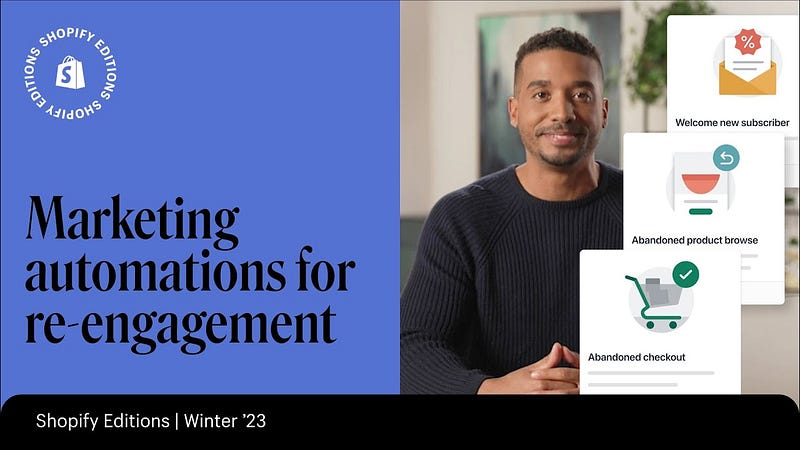
Credit: www.youtube.com
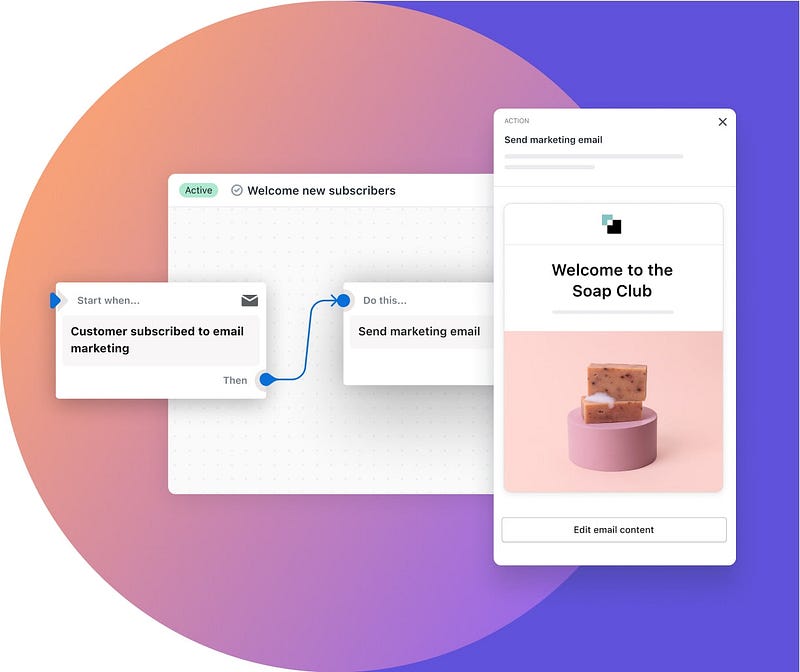
Credit: www.shopify.com
Frequently Asked Questions
What Is Shopify Marketing Automation?
Shopify marketing automation streamlines your marketing tasks. It automates repetitive processes, saving time. This helps improve customer engagement and sales.
How Does Automation Help In Shopify Marketing?
Automation boosts efficiency by handling tasks like email campaigns and abandoned cart recovery. It enhances customer interactions and conversion rates.
Can I Integrate Marketing Tools With Shopify?
Yes, Shopify supports various marketing tool integrations. These tools include email marketing, social media, and analytics platforms.
What Are Common Marketing Automations For Shopify?
Common automations include email campaigns, cart abandonment reminders, and personalized product recommendations. They improve customer engagement and sales.
Conclusion
Unlock the full potential of your Shopify store with marketing automation. Streamline tasks and boost sales effortlessly. Implementing automation tools can save time and enhance customer experiences. Stay ahead of the competition by embracing these innovative solutions. Start transforming your e-commerce business with Shopify’s marketing automation today.